

Available · iPhone · iPad
Parallel
One app. Three ways to create.
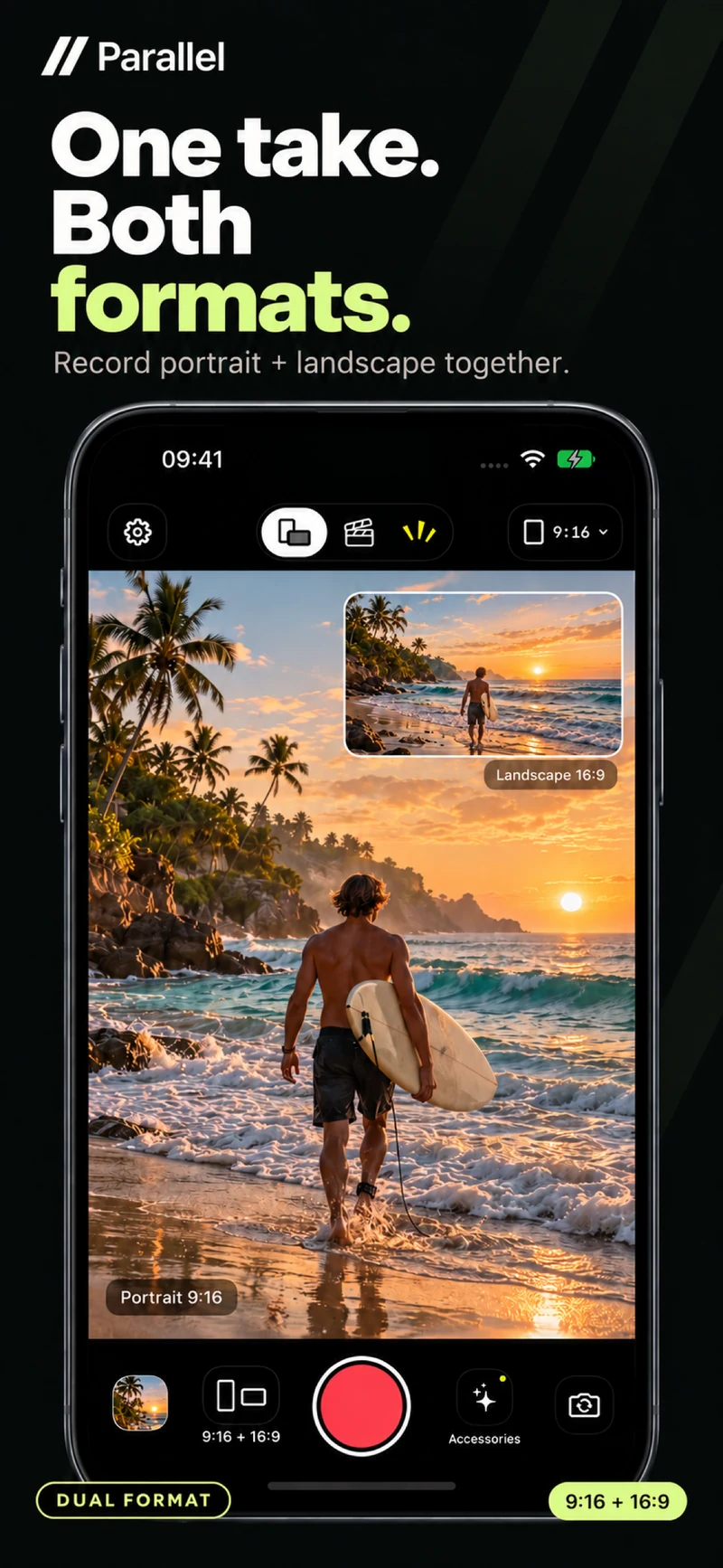
One take. Both formats.
Record separate portrait 9:16 and landscape 16:9 videos at the same time, using one front or rear camera.
5 marketing screenshots with illustrative camera scenes. Select an image to enlarge.
Record portrait and landscape together with Dual, combine front and rear cameras with Director, or add your face and commentary to a video with Reaction. Create, review and share from your device.
What’s included in Parallel
Dual: one take, both formats
Record portrait 9:16 and landscape 16:9 videos simultaneously from one front or rear camera. Focus either preview while both formats keep recording.
Director: both sides of the story
Capture front and rear cameras in one composed video on supported devices. Switch between five layouts during a take without stopping the recording.
Reaction: your video, your voice
Import a clip from Photos or Files and record your front-camera reaction and commentary. Set separate levels for the original sound and microphone.
Put yourself in the scene
Move your floating camera, swap perspectives, or remove the front-camera background with a white outline around your cutout. Effects are processed locally.
Review, save and share
Keep captures in Gallery, play them in Preview, and save or share one format or both. Media stays on your device until you choose to export it.
A smoother start
Guided camera access, optional microphone setup and a new Parallel splash screen help you get started. Recording is free, with no account or subscription required.
From a moment to a video
Choose your recording mode, frame the scene and keep the take. This workflow guide is not an app screenshot.
One take, from camera to share.
Choose your mode
Use Dual for two formats, Director for front and rear cameras, or Reaction to add your perspective to a video from Photos or Files.
Workflow guide · Not an app screenshotGood to know
A little context.
No guesswork.
A few answers before you get started with Parallel.
What is new in Parallel 1.2.3?
Version 1.2.3 adds a guided introduction, camera access setup with an optional microphone step, a refreshed splash screen and improved camera recovery. You can also copy local camera diagnostics from Settings to help troubleshoot issues.
How are Dual, Director and Reaction different?
Dual records two separate formats from one camera: portrait 9:16 and landscape 16:9. Director combines front and rear cameras into one video. Reaction pairs a video you choose from Photos or Files with your front-camera reaction and commentary.
Can I switch layouts while recording?
Yes. Director and Reaction offer five live layouts: PiP, Split, Top/Bottom, full-screen front camera and full-screen rear camera or original video. Change the view without stopping your take. Choose the output orientation before you record.
How does Reaction audio work?
Set separate levels for the original video and your microphone before recording. Record your face and commentary alongside the selected clip. Use headphones to prevent the video's speaker audio from being picked up by the microphone.
Does Director work on every device?
Simultaneous front and rear recording requires supported hardware and a compatible camera configuration. If it is unavailable, Parallel offers Use Dual. The app requires iOS or iPadOS 18.0 or later; actual recording quality depends on your device.
Does Parallel need internet or an account?
Recording and video processing run on your device, with no account, ads, analytics or media uploads. Front-camera background removal also runs locally. Recording is free and requires no subscription. An iCloud video may need to download before you import it into Reaction.
Can I save and share both video formats?
Yes. A Dual recording appears as one Gallery entry. In Preview, switch between Portrait and Landscape, then save or share the selected format or both files. Director and Reaction each save one composed video. Saving to Photos and sharing happen when you choose them.
What quality can I record?
Full HD recording supports portrait 1080 × 1920 and landscape 1920 × 1080 output where supported. The app shows the actual dimensions and frame rate available for your camera configuration. Processing, camera compatibility and recording conditions can affect available quality.
Can I still take photos or open older captures?
New capture is video only. Existing photos remain accessible in the app’s Gallery, and previous local photos and databases are preserved. Save anything you want to keep before removing the app; Parallel does not provide a cloud media backup.