
Record Portrait and Landscape Video at Once on iPhone
Use Parallel Dual to record portrait 9:16 and landscape 16:9 videos at the same time. Learn how to frame your scene and save both files.
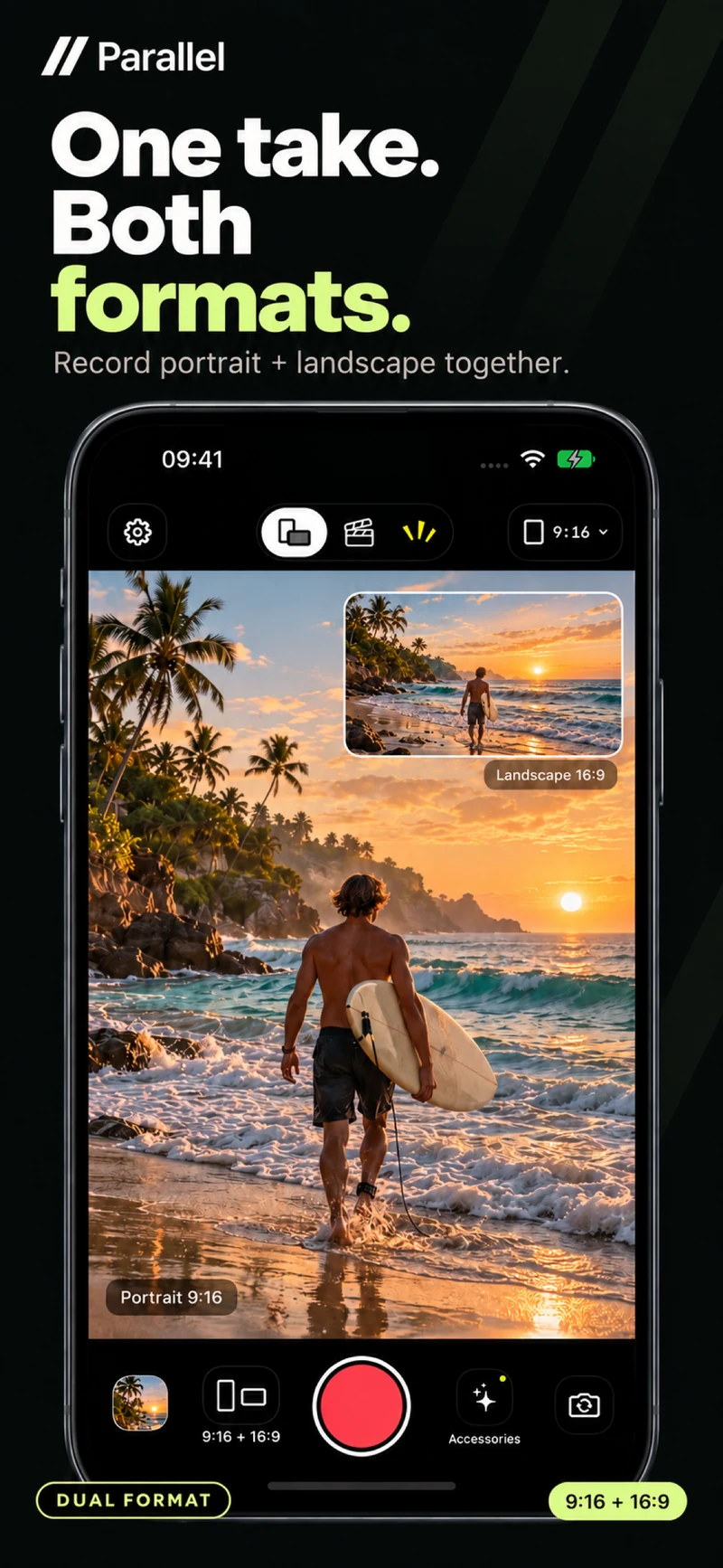
A candle being blown out, a wave breaking, or a perfect coffee pour may happen only once. If you need vertical and horizontal footage, recreating the moment can lose what made it special. Parallel Dual lets you record portrait and landscape video simultaneously with your iPhone's rear camera.
The result is two separate files: portrait 9:16 and landscape 16:9. You can choose the version that fits an edit instead of discovering later that you only captured one format.
Give each format a purpose
A portrait frame can work well for a standing presenter, a single object or a close view of hands at work. A landscape frame can include more context and show how several elements relate to one another.
For a flower-arranging video, the vertical version might center the vase and the person arranging it. The horizontal version might also show the materials spread across the table.
Both files capture the same moment, but each still needs a useful composition. Recording two formats is most effective when you check both before starting.
Record both formats with Dual
- 1.Open Parallel and choose Dual.
- 2.Point the rear camera at your subject.
- 3.Check the portrait and landscape previews.
- 4.Adjust your distance so important details fit in both frames.
- 5.Start recording and keep camera movement steady.
- 6.Open Gallery after stopping and review each version.
- 7.Save or share one format, or both files.
In version 1.2.5, Dual offers Floating and Inline preview styles. Floating gives one format a larger preview alongside a smaller view of the other. Inline displays the previews together, stacked or side by side depending on how you hold the phone.
Leave room for the whole action
Do not place a subject at the edge just because the larger preview looks balanced. Check the other frame, especially when someone moves or reaches across a table.
For a coffee pour, keep the cup and the pouring hand visible through the entire action. Record a short test from beginning to end. If the hand leaves the portrait frame, moving the phone back slightly may give you a better starting point.
The two aspect ratios show different areas of the scene. Capturing them together gives you two outputs from the outset, while careful framing determines whether both are useful.
Choose Dual or Director for the right task
Dual uses one rear camera to create two formats. If you want your face and the scene in front of you in the same video, choose Director for front and rear recording.
The two Dual files can also become source material for a TikTok and YouTube production workflow. Continue adding captions, music and edits in your preferred editing tool.
Try [Parallel on the App Store](https://apps.apple.com/app/id6813023284), record one scene with Dual, and review both formats before planning your next shoot.
From the studio
Explore the apps behind the writing.
Continue reading
More studio notes
September 29, 2026
TinyPOS: An Offline POS App Built for Small Shops
TinyPOS is for people looking for simple sales software that works without a constant internet connection. If you need a compact POS on your phone, TinyPOS is worth trying because it focuses on fast checkout and everyday inventory control.
Read articleSeptember 28, 2026
What if your entire POS could fit in your pocket?
That’s the idea behind TinyPOS. I built it for small shops that need to sell and manage their business — without setting up a complicated POS system.
Read articleJuly 29, 2026
A cashier scanned the same product 300 times today.
If every scan takes just one extra tap, that’s 300 unnecessary taps in a single day.
Read article